
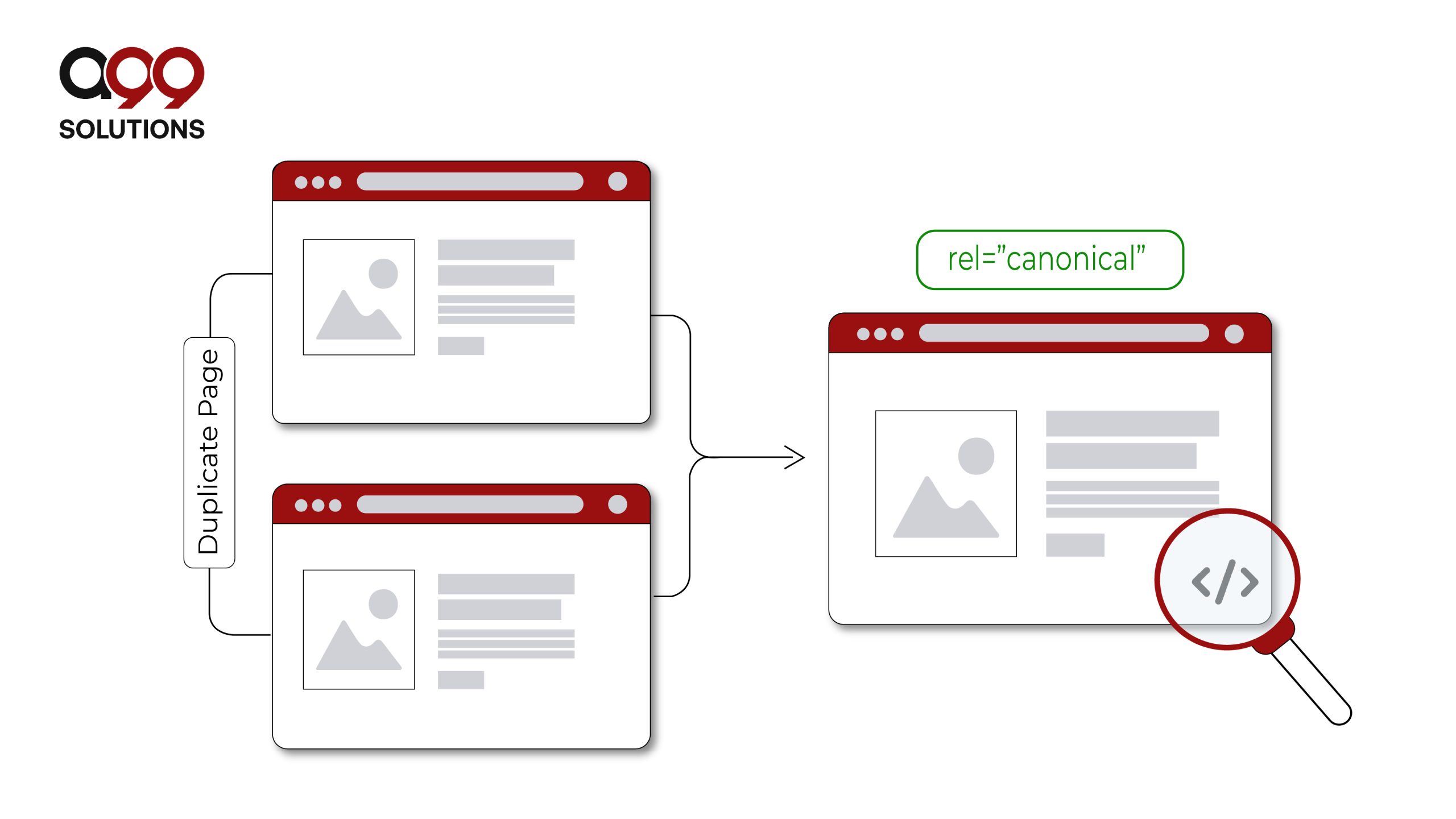
What Are Canonical Tags? In the world of SEO, things are always changing—but one quiet thing often doesn’t get the credit it deserves: the canonical tag.
Think of it as a guide that gently tells search engines, “This is the main page you should pay attention to.” By doing so, it helps you avoid the headaches of duplicate content and keeps your hard work from getting lost in the shuffle.
Even though it’s just a small snippet of code, the canonical tag plays a big role in making sure your content gets the visibility it deserves.
In this article, we’ll break down everything you need to know about canonical tags, including:
- What is a canonical tag?
- Why Are Canonical Tags Important In SEO?
- Canonical Tags Best Practices
What is a canonical tag?
A canonical tag (also known as rel=canonical) is a short HTML element that signals to search engines which version of a webpage should be treated as the primary one when there are multiple versions of the same or very similar content.
From an SEO perspective, canonical tags tell Google which page you want to show up in search results. They also help combine ranking signals (like backlinks) from duplicate or near-duplicate pages, making crawling and indexing more efficient.
Let’s say you wrote a blog post on your site with a specific URL, but other websites republish the same article under different links.
In such cases, you’d want those republished versions to include a canonical tag that points back to your original page’s URL.
This way, search engines understand that your page is the main source, your site receives the SEO credit, and you avoid potential duplicate content problems.
Why are canonical tags important in SEO?
The main role of a canonical tag is to tell search engines which version of a page should be treated as the primary source, while the others are simply duplicates or variations of the same content.
It’s common for websites to have multiple pages that look nearly identical but have different URLs. When this happens, Google has to figure out which page it should index and rank. Since showing all of them would clutter search results with duplicates, the search engine will only pick one.
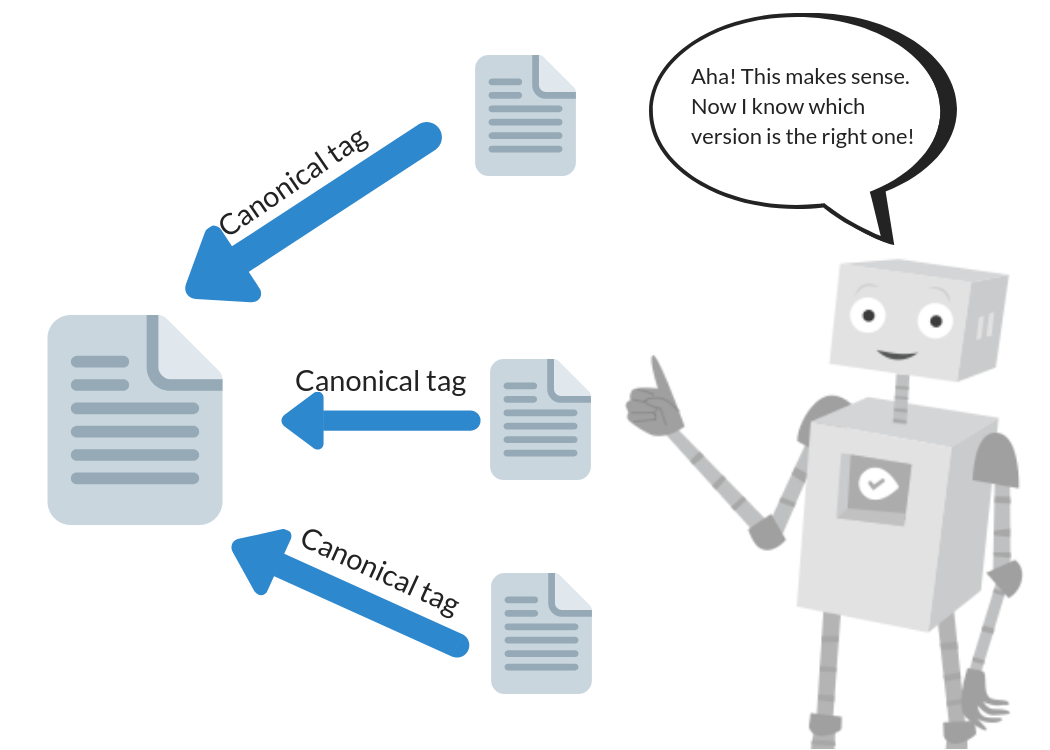
Canonical Tags Example – Sourced From Woo Rank
Although these pages all lead to the same product, they each generate different URLs.
This is exactly where canonical tags are essential. By adding them, you’re telling Google, “This is the preferred version of the page — index this one and ignore the rest.” This prevents duplicate content issues and ensures the right page shows up in search results.
1. They combine ranking power
Canonical tags make sure that all the SEO value (PageRank) from duplicate or similar pages is passed to one preferred page.
Sometimes, duplicate pages attract backlinks from social media, blogs, forums, or other websites. Without a canonical tag, those backlinks get split across different versions of the same content, weakening the strength of the page you want to rank.
By using canonical tags, you ensure that link equity and other ranking signals funnel into a single URL, boosting its chances of appearing higher in Google’s search results.
2. They clarify ownership of syndicated content
Canonical tags are also useful when the same content appears on multiple websites. For example, if your blog post is republished on partner sites for marketing or promotional purposes, Google needs to decide which version should appear in search results.
By adding canonical tags on those external sites pointing back to your original article, you signal to search engines that your website is the true source. This helps protect your visibility and ensures the republished versions don’t outrank your content.
3. They make crawling more efficient
Search engines have limited resources to crawl websites. When Google encounters lots of duplicate pages, it wastes time and resources processing them instead of focusing on your most valuable content.
Canonical tags fix this by pointing search engines to the main version of a page. This way, Google spends its crawl budget on the content that actually matters, which can speed up indexing and improve your rankings in SERPs.
How to implement canonical tags?
Setting up canonical tags is a fairly simple process. All you need to do is add the rel=”canonical” tag inside the <head> section of any duplicate page. The URL included in the tag should always point to the main, preferred version of the page.
Ideally, canonical tags are added on a page-by-page level. But if your site is very large, handling each page manually can be overwhelming or even impractical. That’s why there are easier, automated methods to apply canonical tags, such as:
- Using SEO plugins
- Adding them via HTTP headers
1. Implementing with an SEO Plugin
If your site runs on WordPress or a similar CMS, SEO plugins like Yoast SEO make the process quick and user-friendly. Here’s how it works:
- Open the page you want to set a canonical for.
- Go to the Advanced settings section.
- Insert the canonical URL of the page you want search engines to prioritize.
2. Use HTTP header
Canonical tags can also be added in the HTTP header of the webpage.
This is particularly useful for special non-HTML documents, such as PDFs, since they don’t contain any <head> section where a standard canonical tag could be placed.
Canonical tag best SEO practices
1. Use self-referencing canonicals
Although not mandatory, it is always a good practice to add a canonical tag to a page that points to itself – even if you haven’t used canonical tags on the rest of the duplicate pages.
Using the self-referencing rel=canonical tag on the main, original pages gives search engines like Google a clear signal that they are canonical versions:
2. Always Use Absolute URLs
When setting canonical tags, it’s better to use absolute URLs instead of relative ones. Absolute URLs clearly define the full path of the page, leaving no room for confusion for search engines.
An absolute URL should include the protocol (e.g., https), domain (e.g., www), and end with a trailing slash when applicable.
3. Stick to Lowercase URLs
Search engines often treat uppercase and lowercase characters as different URLs. This can create unnecessary duplicate content issues. To avoid this, always use lowercase letters for your canonical URLs.
It’s also a best practice to configure your website to serve URLs in lowercase and reflect that consistently in your canonical tags.
4. Handle Cross-Domain Duplicates with Canonical Tags
Canonical tags aren’t limited to just your own domain. They can also be used across different domains when you republish or share the same content elsewhere.
Here’s how to do it correctly:
- On your original page, use a self-referencing canonical tag.
- On the external website, set the canonical tag to point back to your original content.
This way, search engines will know which version should be considered the primary source.
Conclusion
Canonical tags may seem like a small technical detail, but they are incredibly powerful in protecting your SEO efforts. By guiding search engines toward the right version of your content, they help consolidate ranking signals, avoid duplicate content issues, and make crawling more efficient.
If you want to fully optimize your website’s SEO strategy and stay ahead in 2025, partnering with experts is the way to go. A99 Solutions is here to help you build a future-proof SEO foundation that maximizes visibility and drives results. Let us handle the technical details while you focus on growing your business.