

Best Keyword Tools 2025 – Choosing the right keywords for your pay-per-click (PPC) campaigns can make a significant difference — it helps your ads reach the target audience, boosts your click-through rates, and enhances your return on investment (ROI).
But how do you know which keywords to use?
That’s where PPC keyword research tools come in.
These tools help you discover new keyword ideas and provide important details, such as search volume, cost per click (CPC), and the level of competition each keyword faces.
In this article, we’ll explore the top PPC keyword research tools you can use right now to plan smarter and more effective ad campaigns.
1. Semrush Keyword Magic Tool
The Semrush Keyword Magic Tool is a great option for creating strong keyword lists for your PPC campaigns.
With just one main keyword, the tool instantly gives you a wide range of related keywords, organized into clear topic-based groups.
It uses Semrush’s massive database of over 25.5 billion keywords, ensuring you get accurate and detailed results.
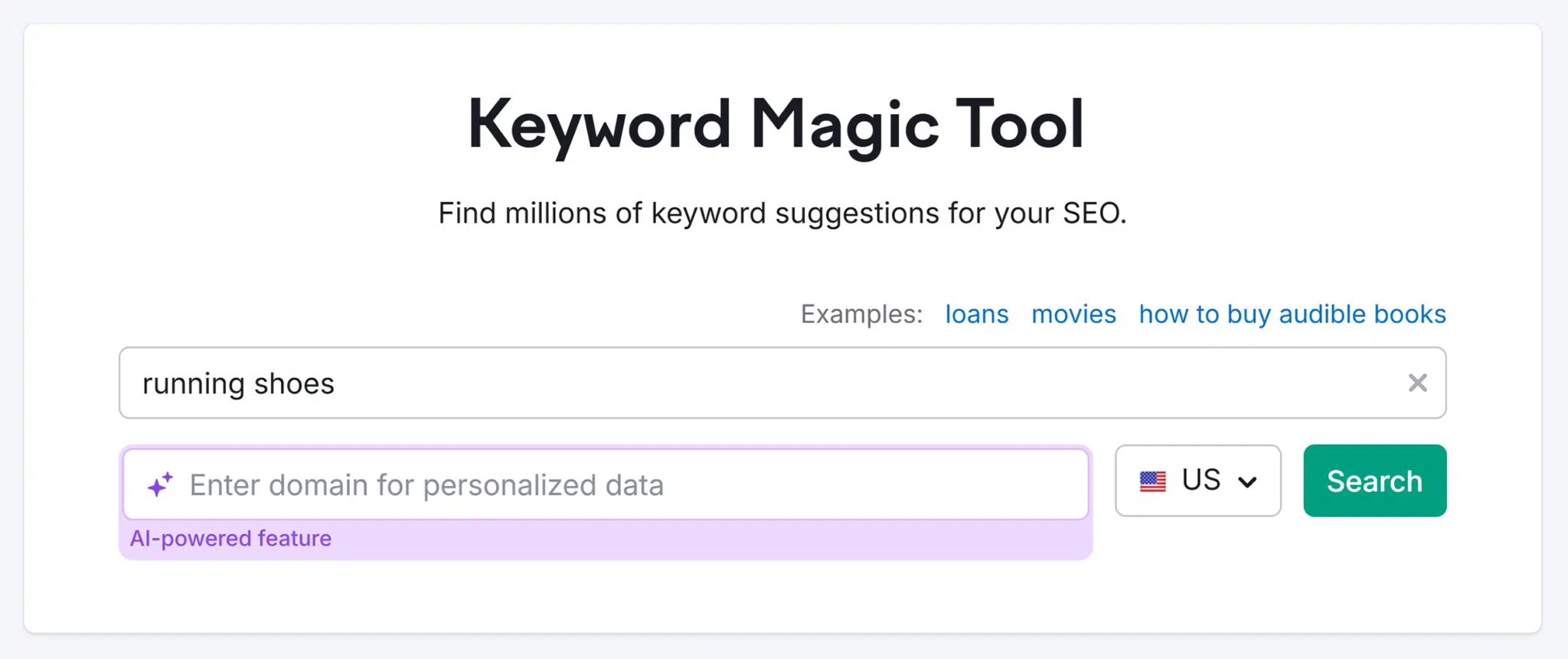
To get started, type in a main keyword, click “Search,” and explore all the keyword ideas it suggests.
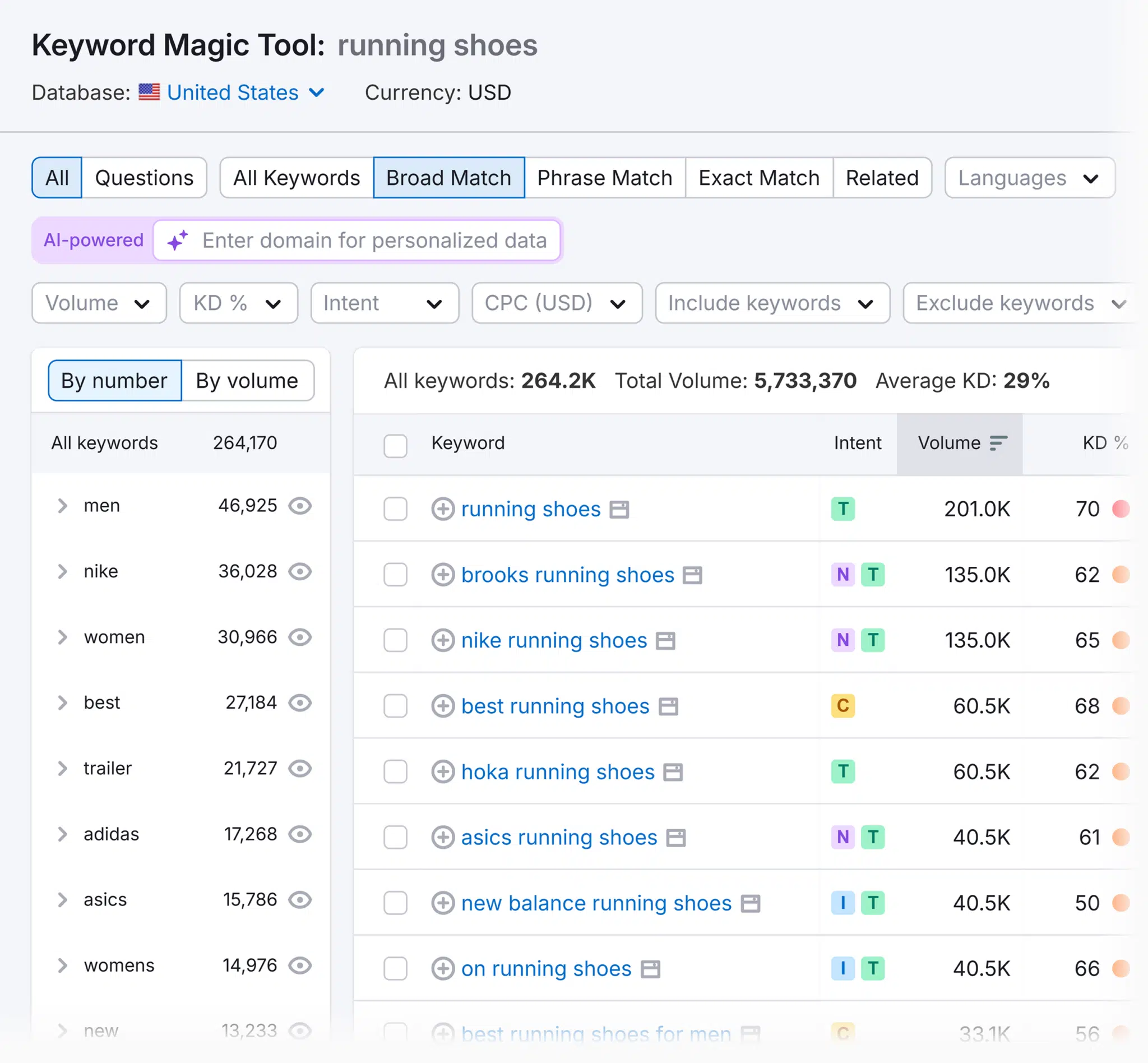
When you run a search, the tool will show you a list of related keyword ideas.
For example, when we searched for “running shoes,” it generated over 254,000 keyword suggestions.
The results table also includes helpful details for each keyword — such as search intent, search volume, keyword difficulty, and average cost per click (CPC) — so you can easily decide which ones are best for your campaign.
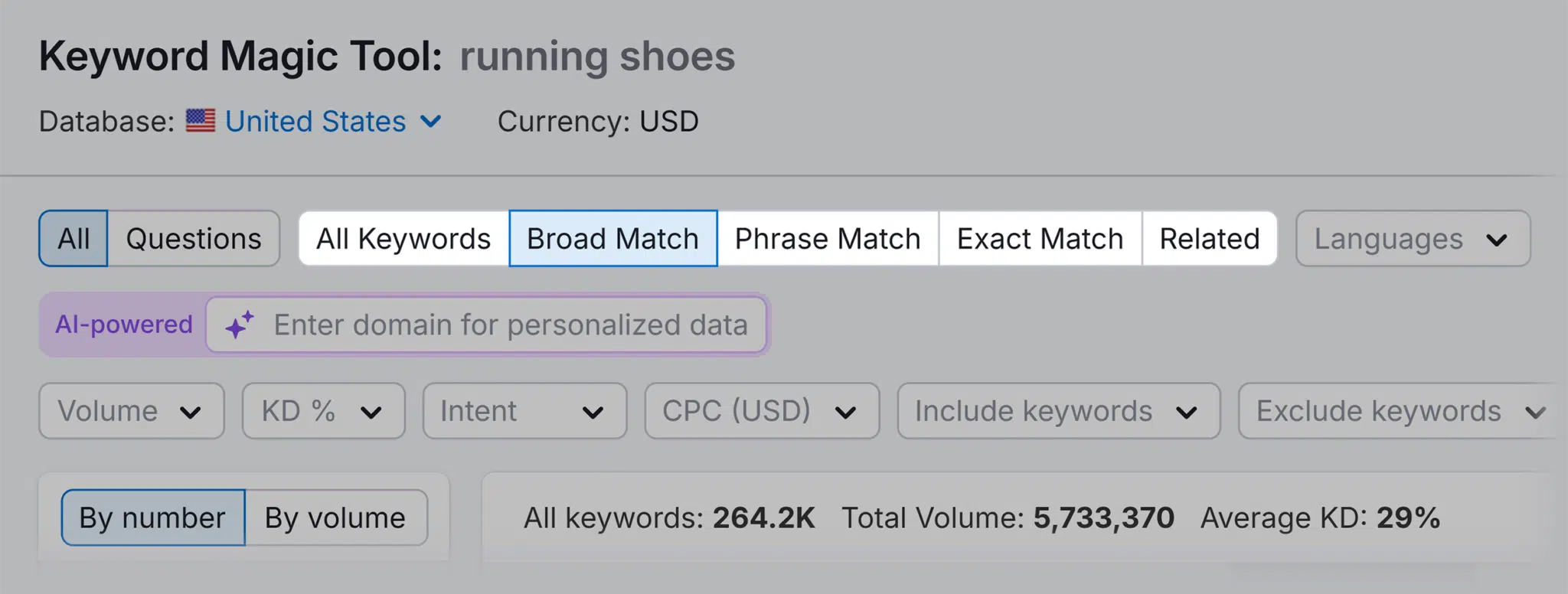
As you look through the keyword ideas, you can switch between different match types like Broad Match, Exact Match, and Related to see a variety of keyword options.
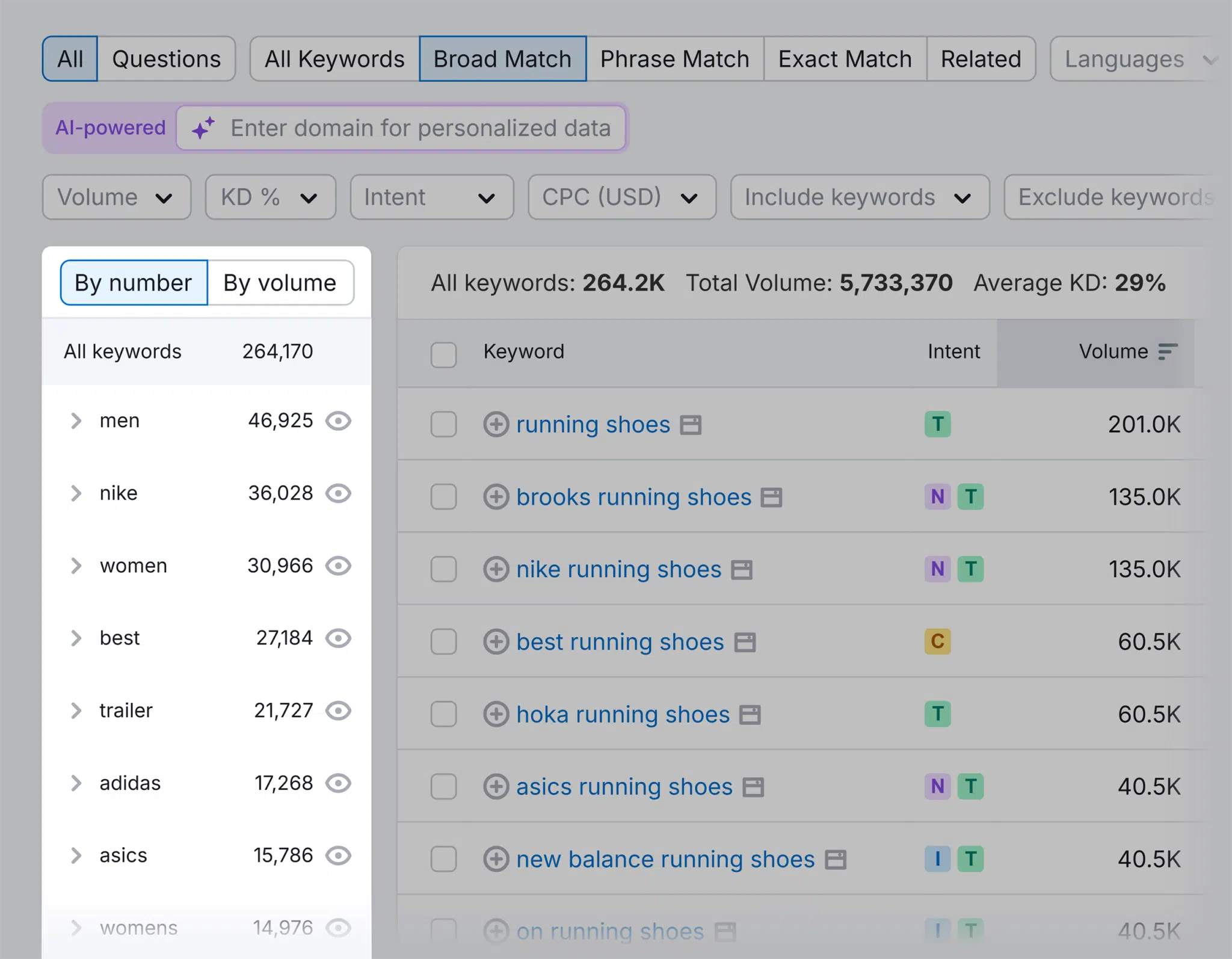
By checking the keyword groups and subgroups in the left menu, you can easily find specific topics and fresh ideas for your PPC ad campaigns.
You can sort these groups by the number of keywords they contain or by their total monthly search volume to see which ones have the most potential.
If you don’t want to include a group, click the eye icon next to it to hide it from your list.
You can also narrow down your list to question-style keywords by simply clicking the “Questions” tab.
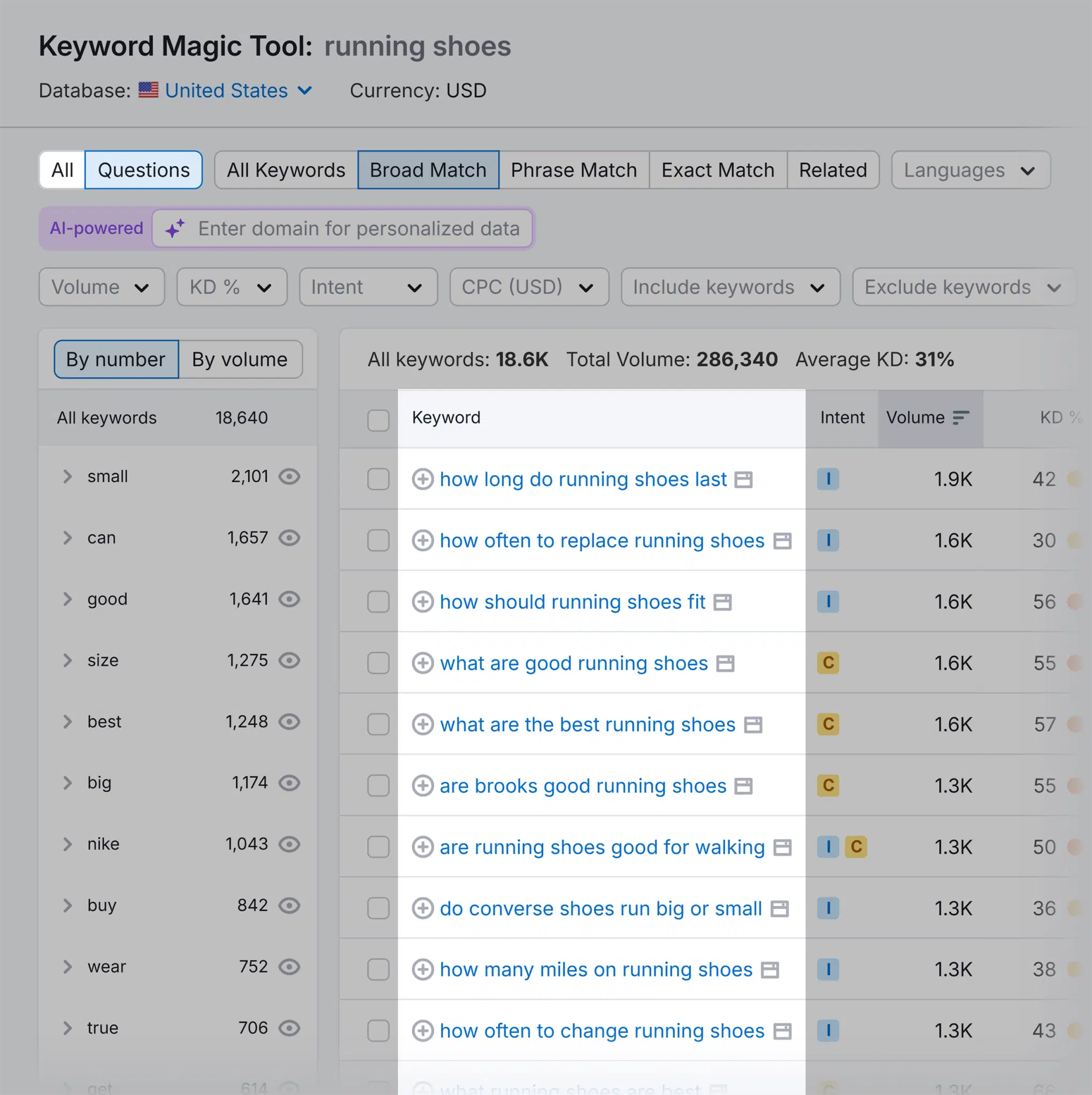
To save a keyword to your list, just check the box next to it and click “Send keywords.”

What We Like
The Keyword Magic Tool is an excellent option for detailed keyword research in your PPC campaigns.
With its large keyword database, user-friendly design, and advanced filters, it helps you easily discover niche topics and high-performing keywords for your ads.
Overall, it’s one of the best tools for building a complete and well-structured keyword list to improve your advertising results.
Pricing
Semrush pricing starts at $165.17 per month.
2. Google Keyword Planner
Google Keyword Planner is a free tool from Google that helps you find and plan the right keywords for your PPC campaigns.
To use it, you just need to create a free Google Ads account — but don’t worry, you don’t have to launch an actual campaign to start researching keywords.
Go to the Google Ads website, click “Start now,” and sign in to begin exploring keyword ideas.

Then, check your account details and click “Submit” to finish setting it up.
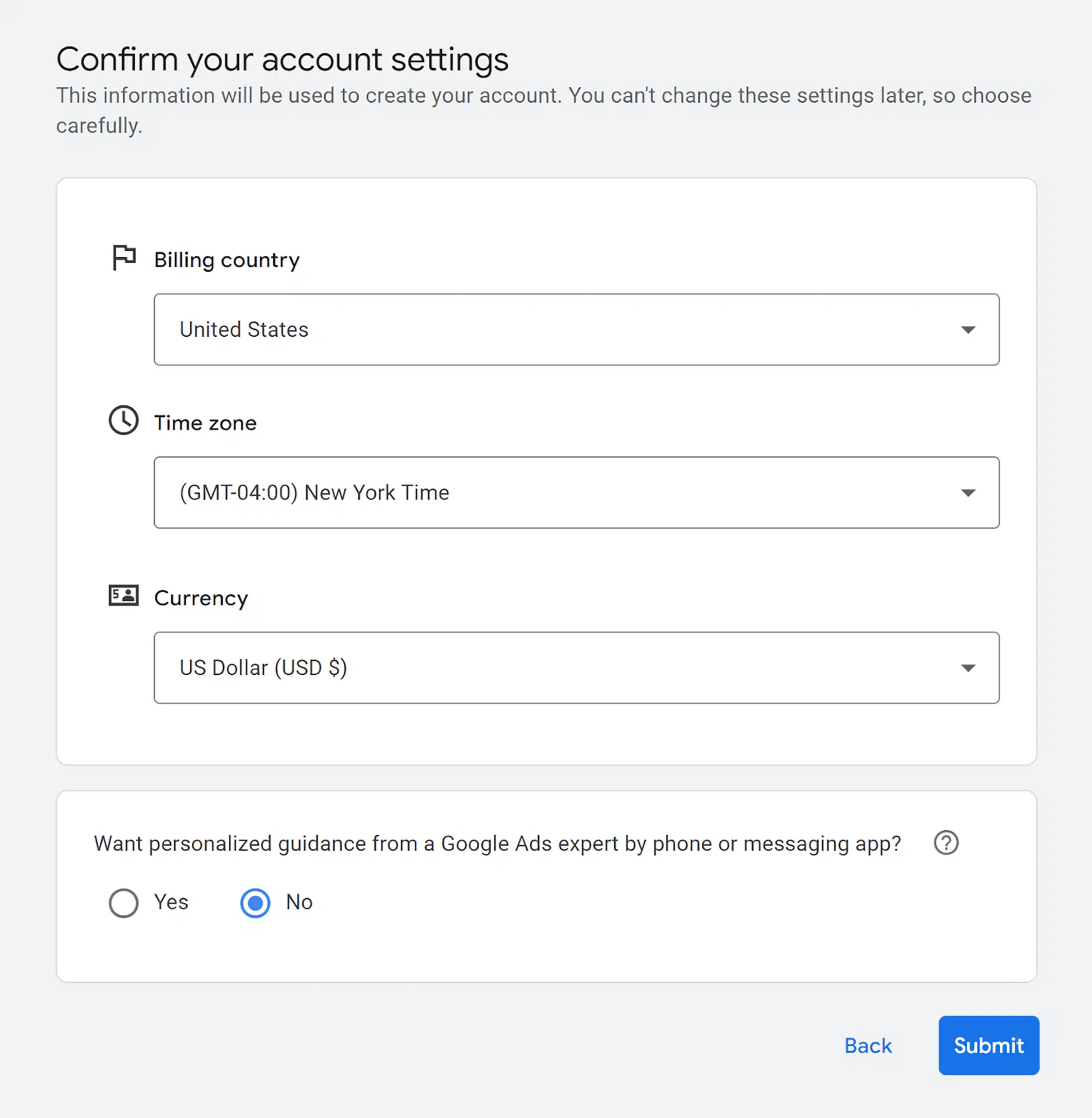
On the confirmation page, click “Explore your account.”
Once your Google Ads account is ready, go to the menu bar and click “Tools.”
Under the “Planning” section, choose “Keyword Planner.”
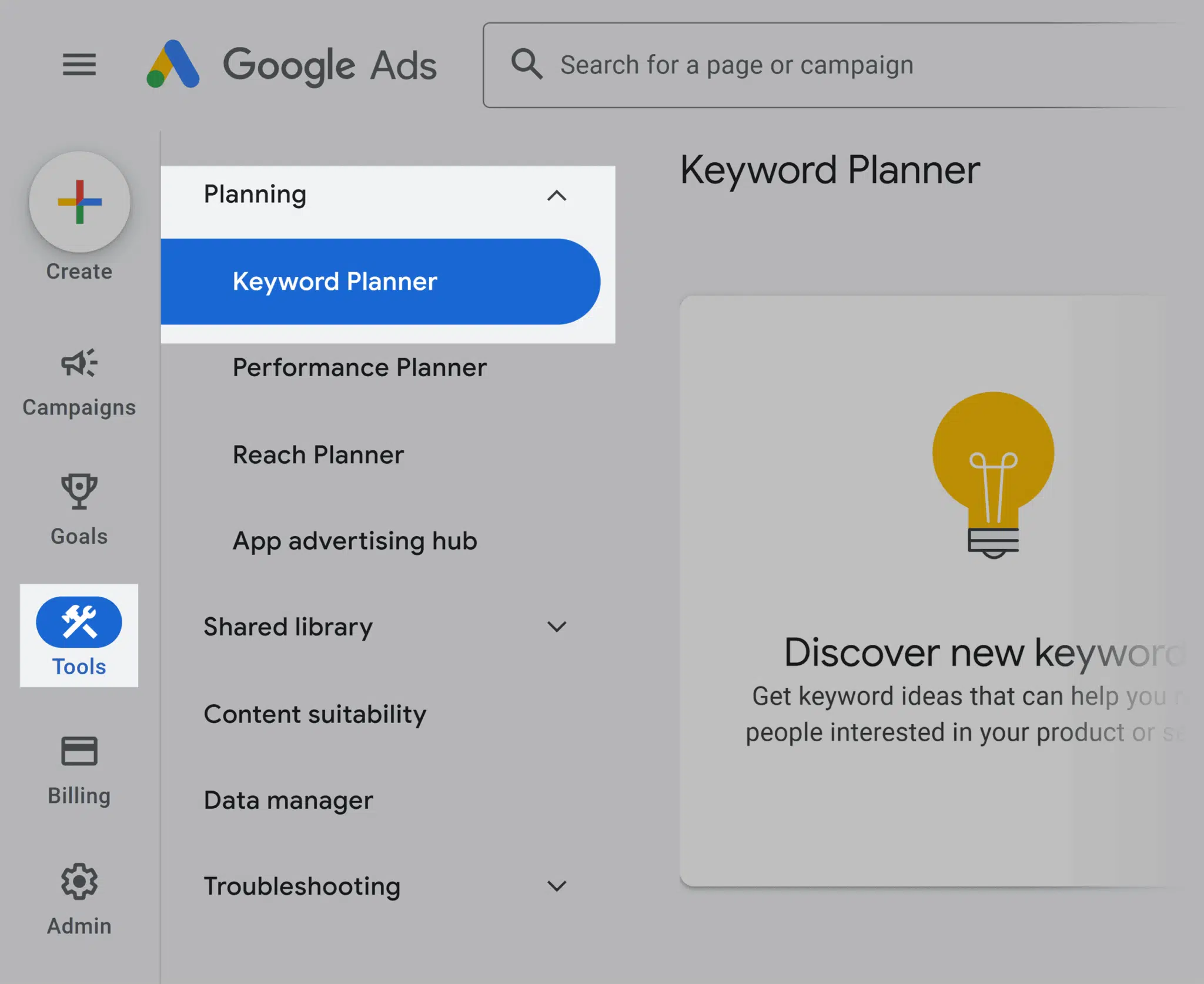
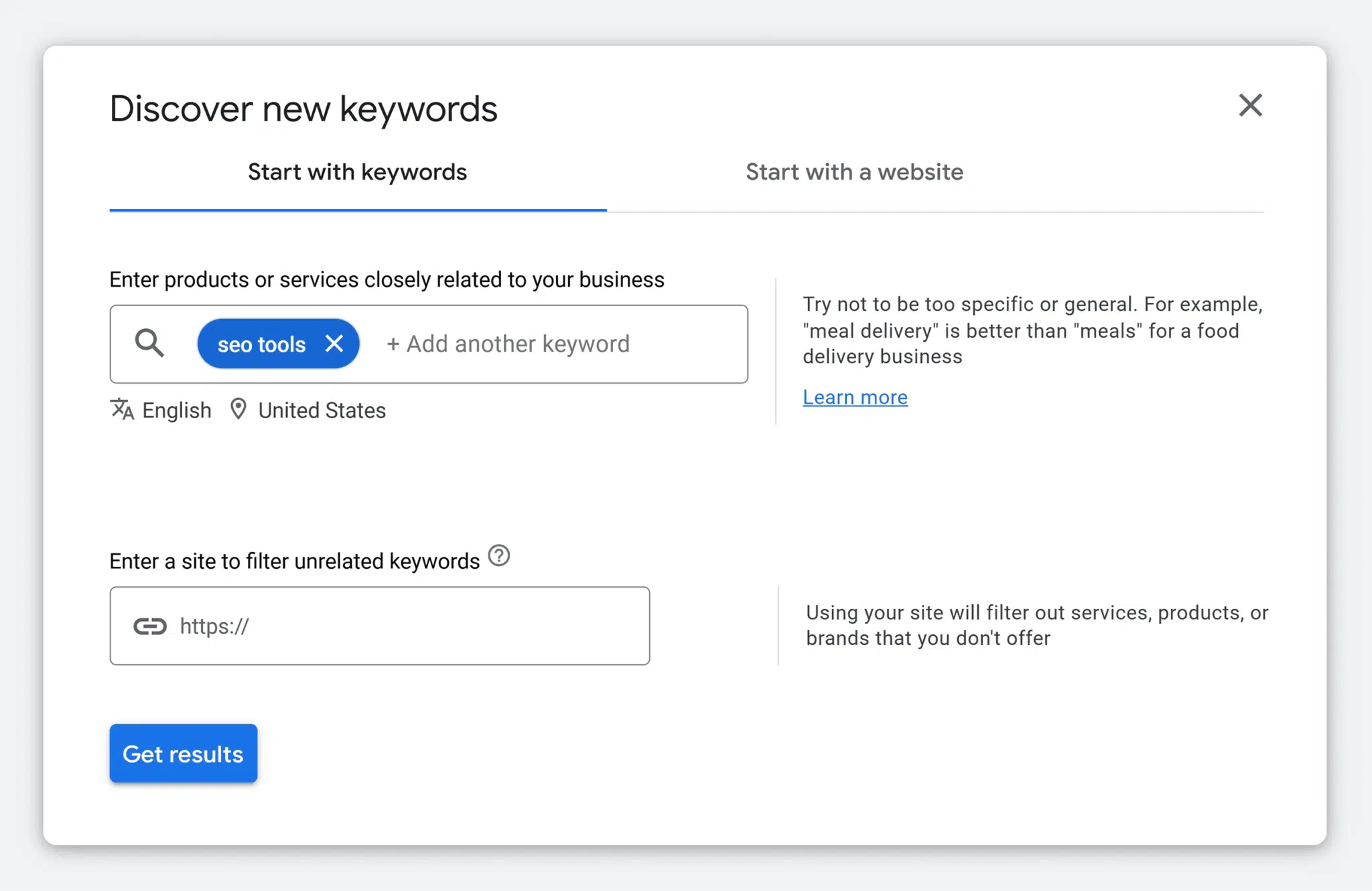
From here, you can type in a few main keywords or even a website URL to get started.
In this example, we’ll use the “Start with keywords” option.
After adding your keywords, click “Get results” to see the suggestions.
What We Like
Google Keyword Planner is very easy to use and helps you find keywords that match your business perfectly.
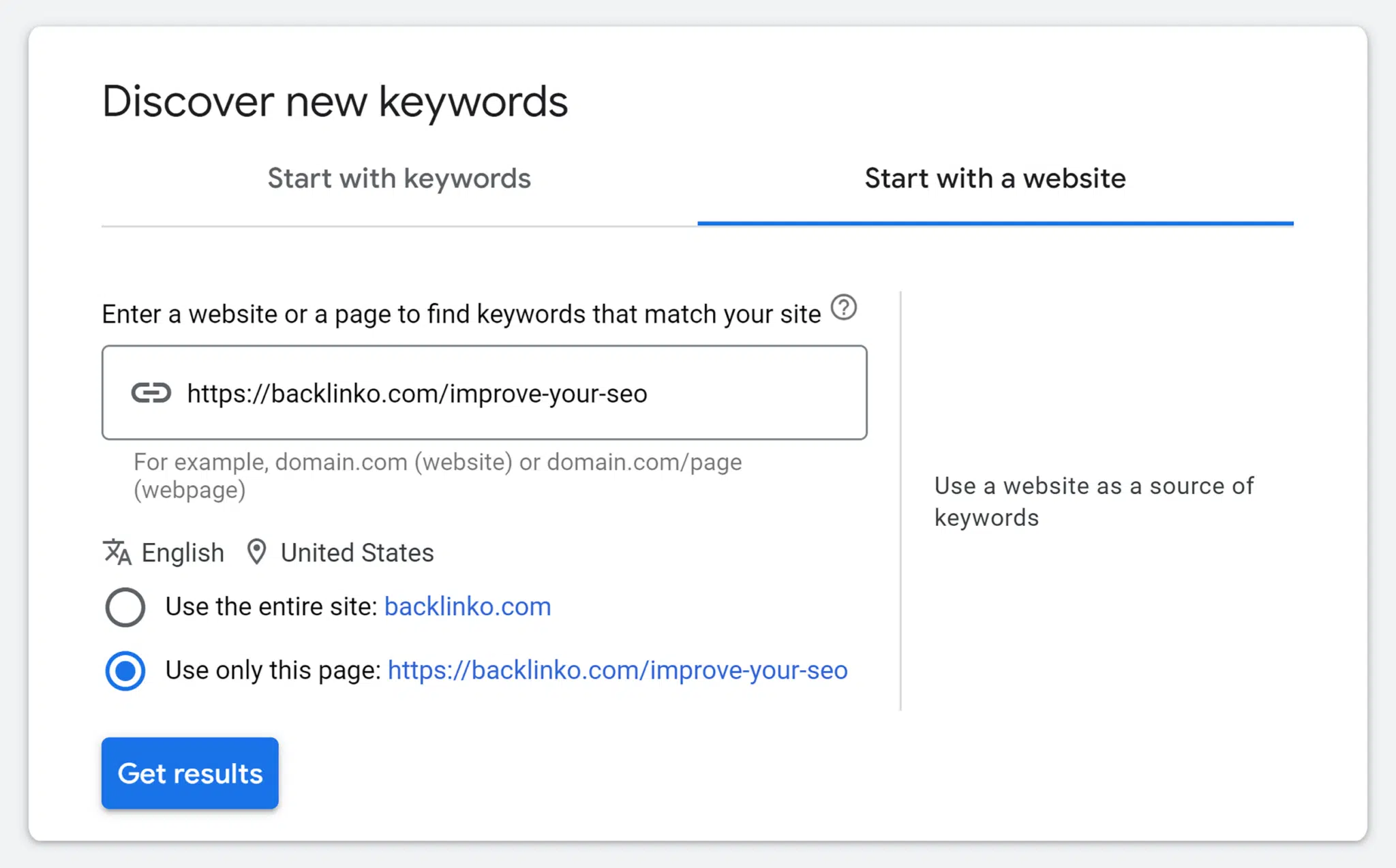
You can also use it to analyze your competitors.
Just choose the “Start with a website” option when starting your keyword research, enter your competitor’s website link, and click “Get results.”
Pricing
Google Keyword Planner is free to use with a Google Ads account. However, you’ll need an active Google Ads campaign to see precise keyword search volume data.
3. SpyFu
SpyFu is a marketing tool that gives you useful insights into both PPC and SEO campaigns.
One of its best features is competitive analysis, which lets you see what keywords your competitors are using in their PPC ads and how much they’re spending.
To get started, just type a website domain into the search bar at the top and click “SEARCH.”
In the “PPC Overview” section, you’ll see a quick summary of that site’s advertising campaigns.
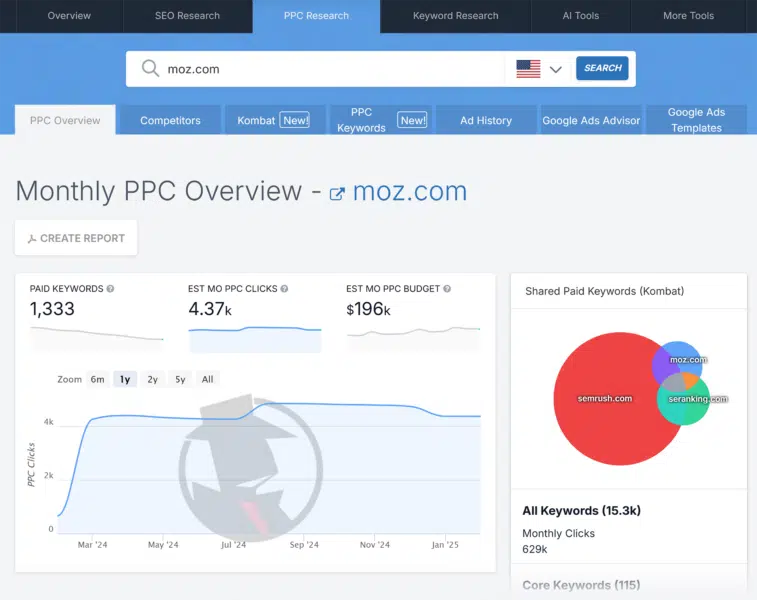
This report shows helpful details such as the total number of paid keywords a website is using, the estimated monthly PPC clicks, and the approximate amount spent on ads each month.
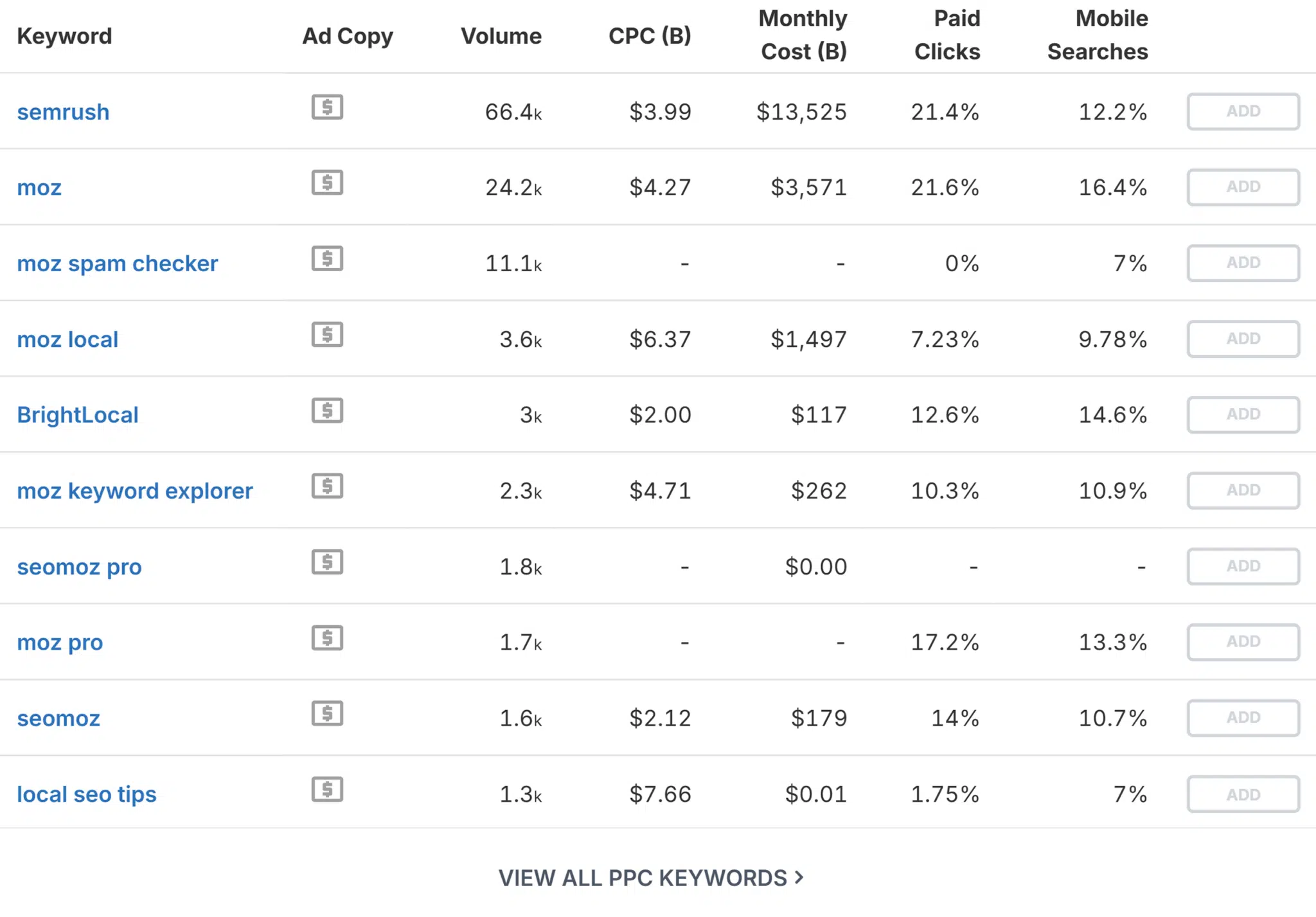
When you scroll down, you’ll find a list of the top-performing paid keywords for that website.
You’ll also see useful metrics like the average cost per click (CPC), the estimated monthly cost for each keyword, and the percentage of clicks that come from paid ads.
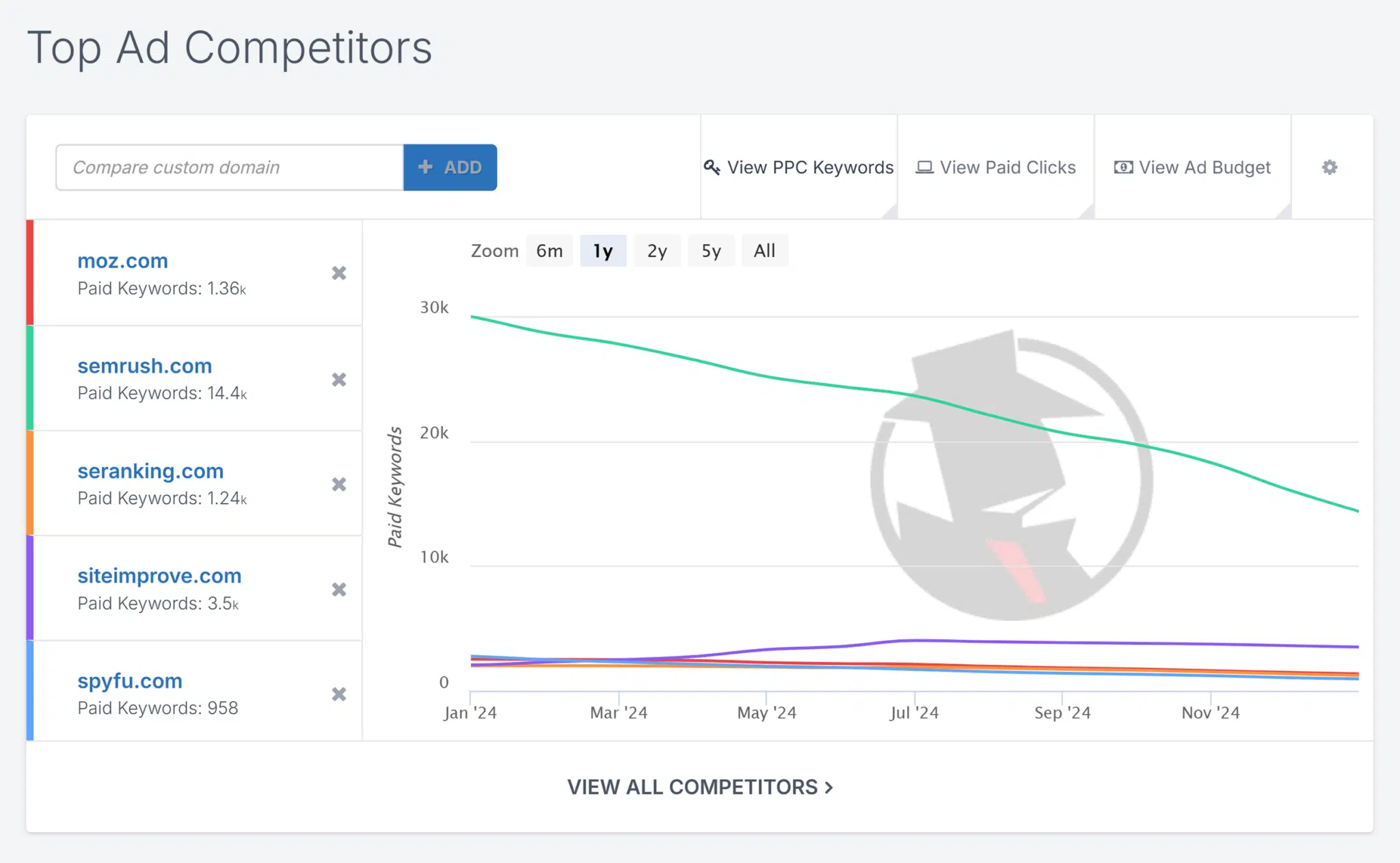
In the “Competitors” section, you’ll find a list of the website’s main PPC competitors, displayed on a graph.
The graph also shows how many keywords both sites share, helping you understand how much their PPC strategies overlap.
What We Like
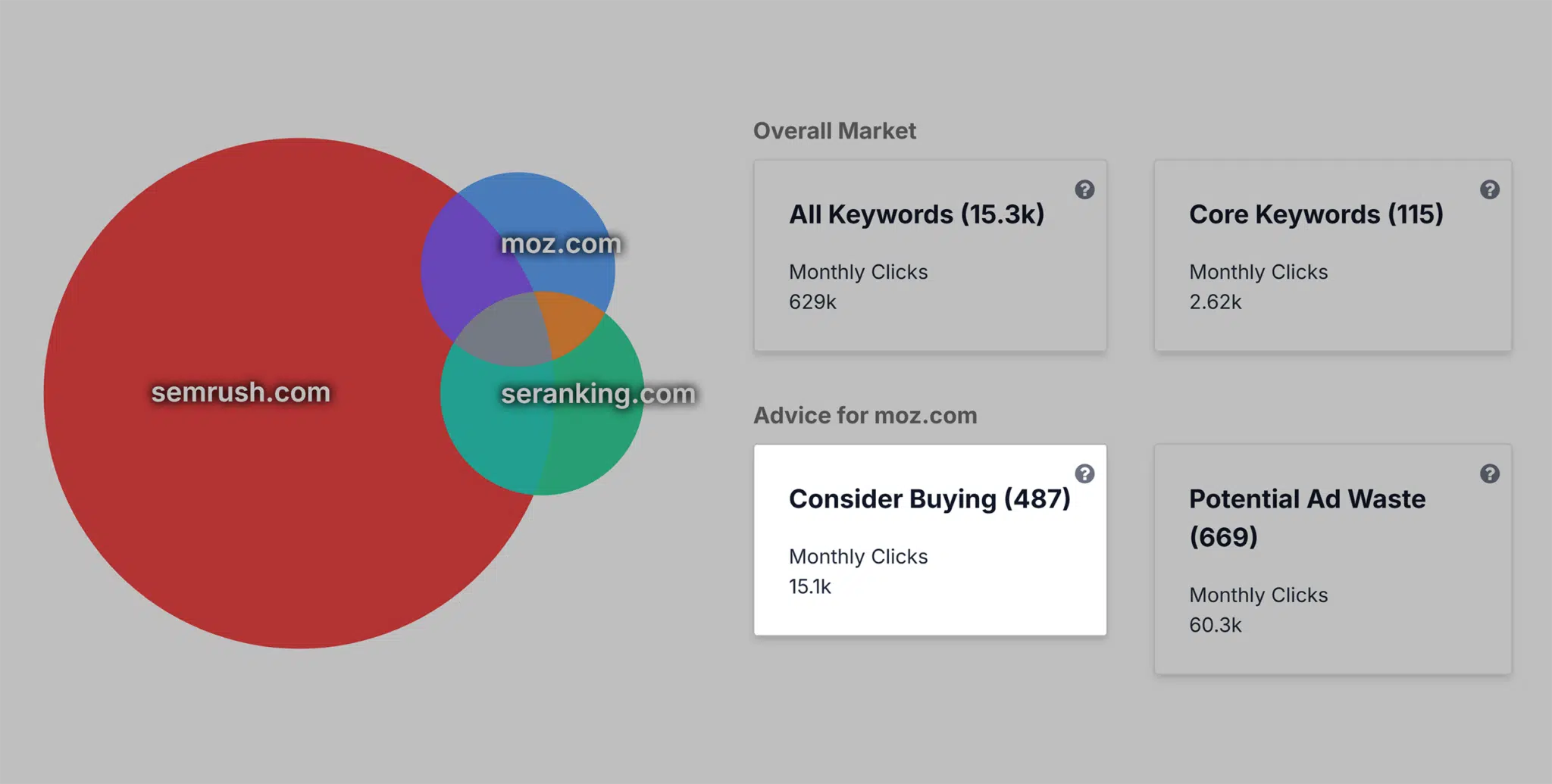
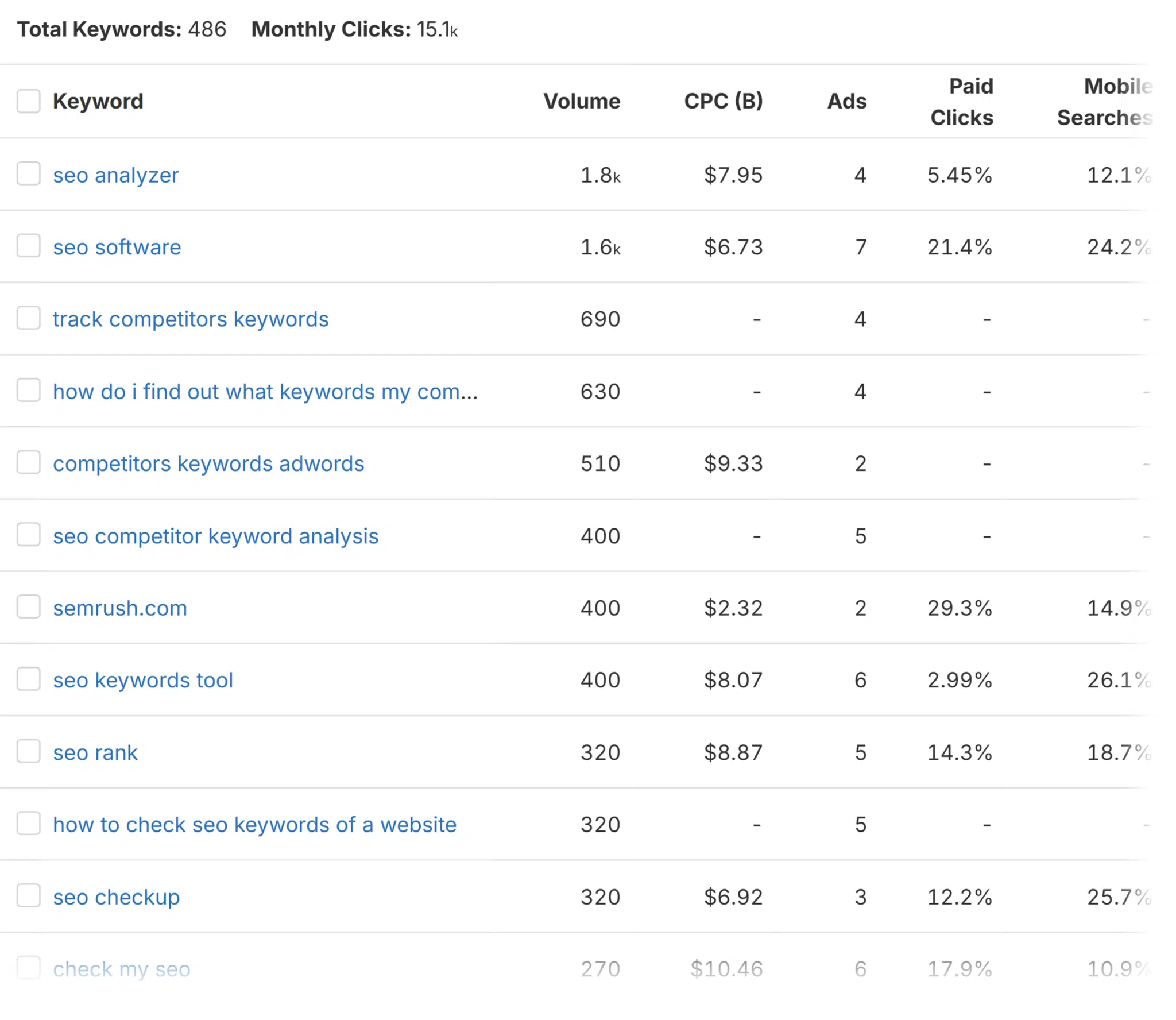
One of the best things about SpyFu is that it helps you find new keyword opportunities by showing the keywords your competitors are using — but you’re not.
Just go to the “Kombat” section and click “Consider Buying” to see these keyword suggestions.
You’ll then get a list of keywords your competitors are using in their ads that you might also want to target.
SpyFu Pricing
SpyFu pricing starts at $39 per month.
4. Microsoft Advertising Keyword Planner
The Microsoft Advertising Keyword Planner helps you find and manage keywords for your PPC campaigns on the Microsoft Search Network, which includes Bing.
Just like Google Keyword Planner, you can discover new keywords by typing in a main keyword, a website URL, or even by choosing a category related to your product or service.
The tool shows helpful data for each keyword — such as search volume, cost estimates, competition level, and the suggested minimum bid.
To begin, log in to your Microsoft Advertising account (or create one if you don’t have it yet).
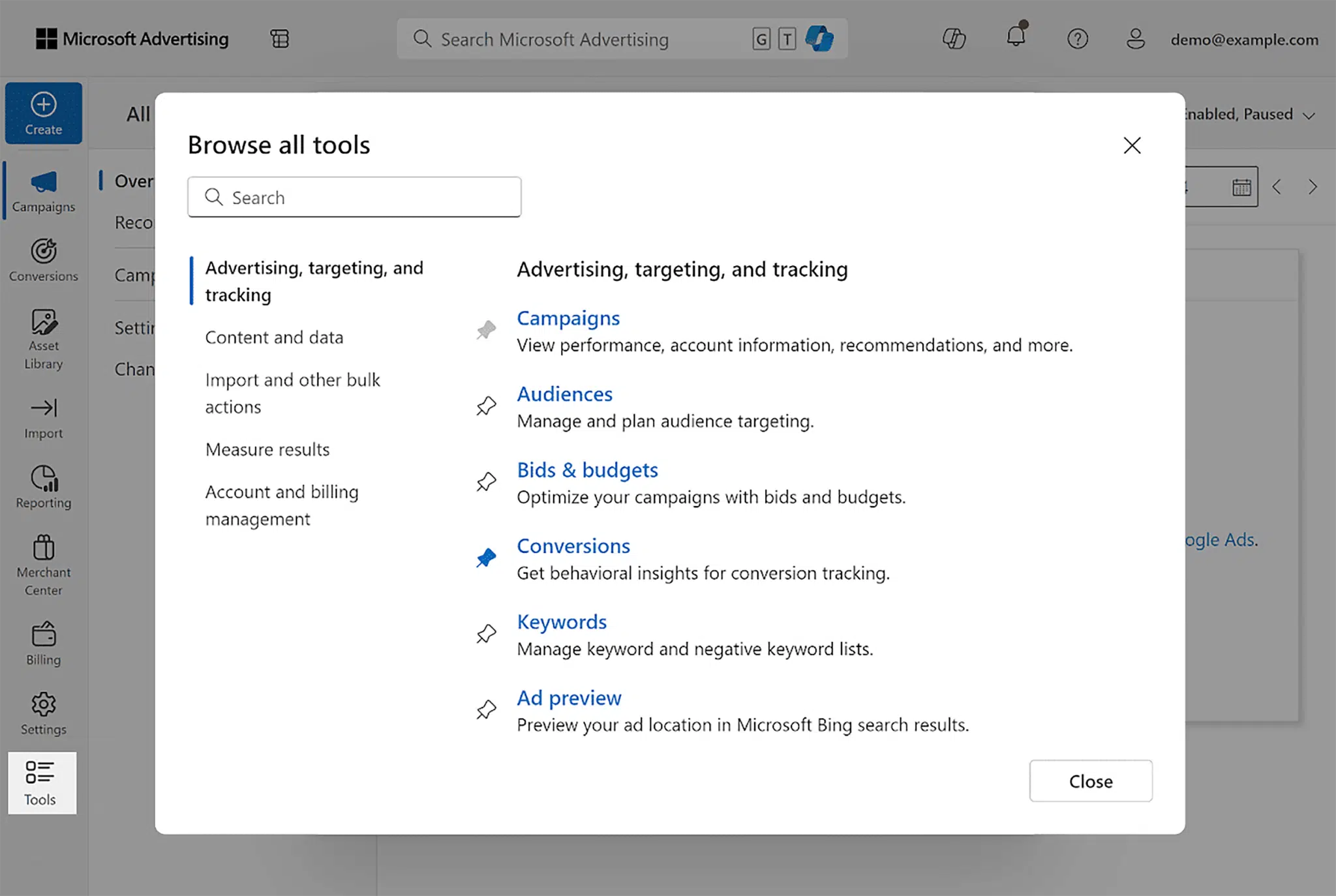
Then go to Tools → Keywords to start your research.
Then, click “Search for new keywords using a phrase or website.”
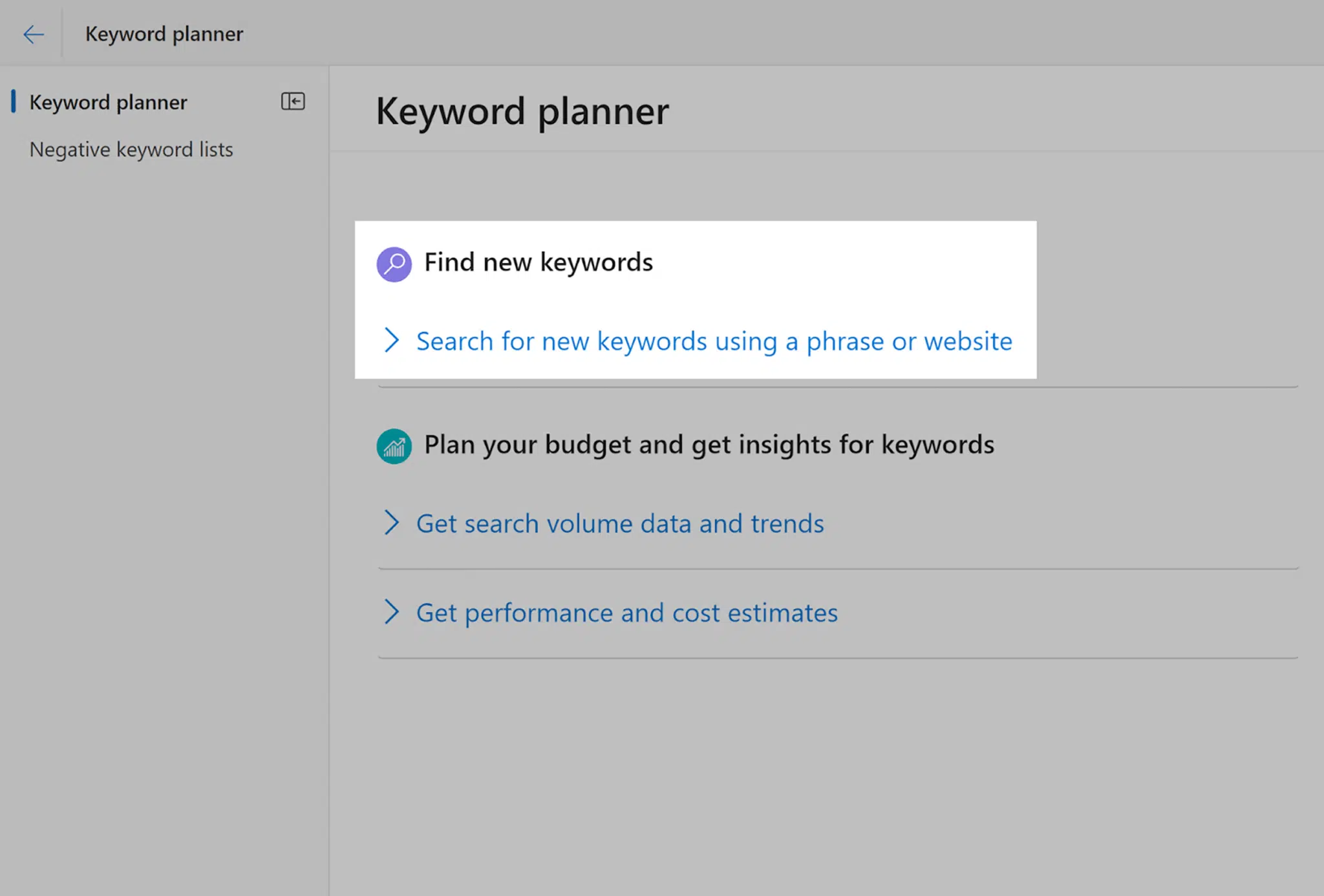
Fill out the form that appears. And click “Get suggestions.”
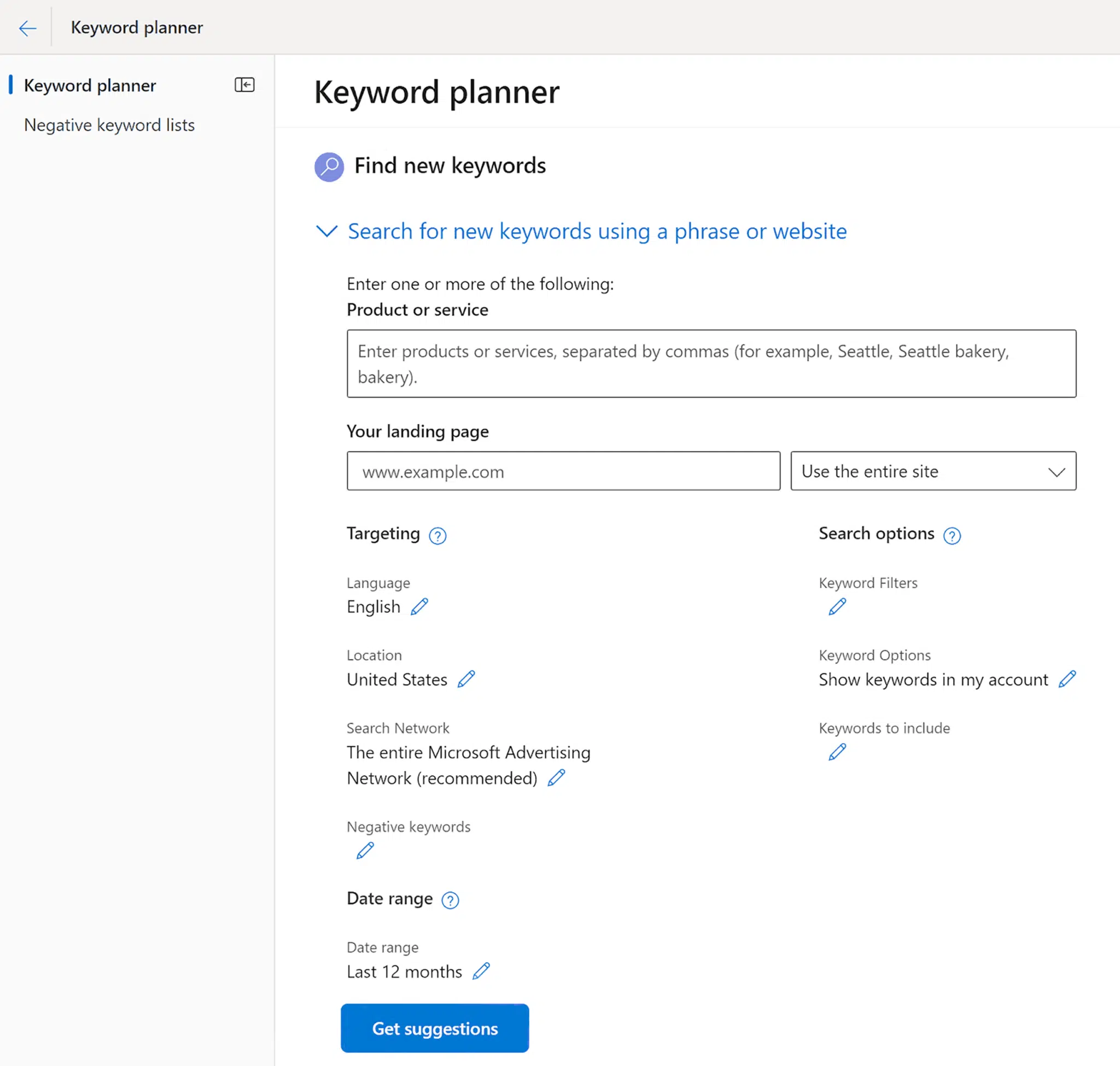
This will generate a comprehensive list of keyword suggestions.

5. Keywords Everywhere
Keywords Everywhere is a paid browser extension available for Google Chrome, Firefox, and Microsoft Edge.
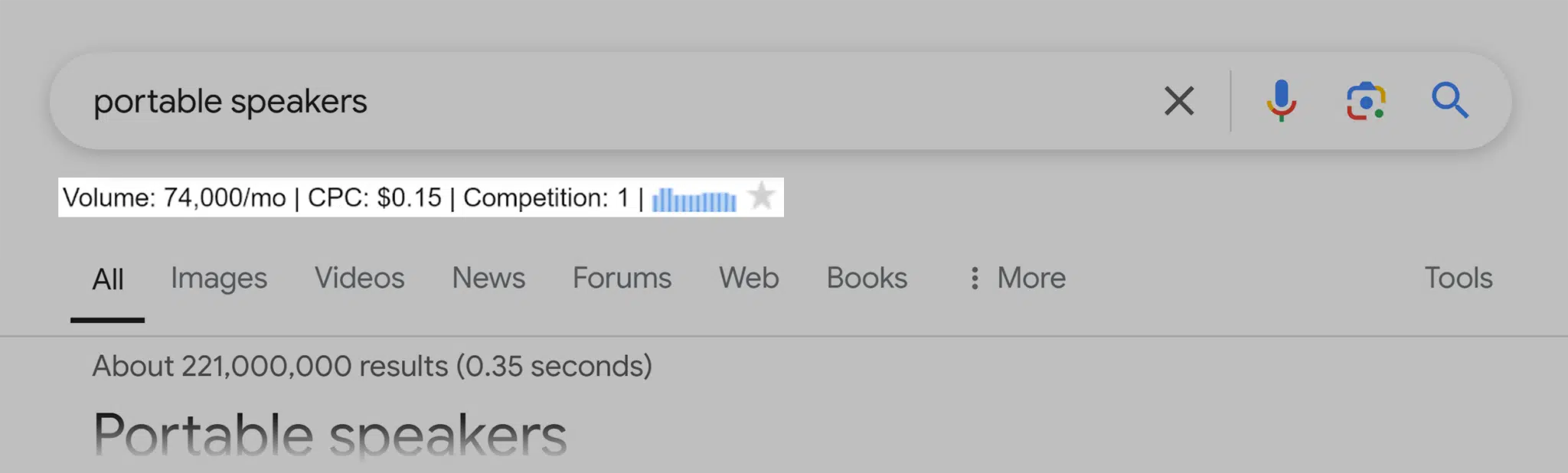
The tool displays search volume, CPC, and competition data on the search engine results page (SERP) whenever you search for a keyword.
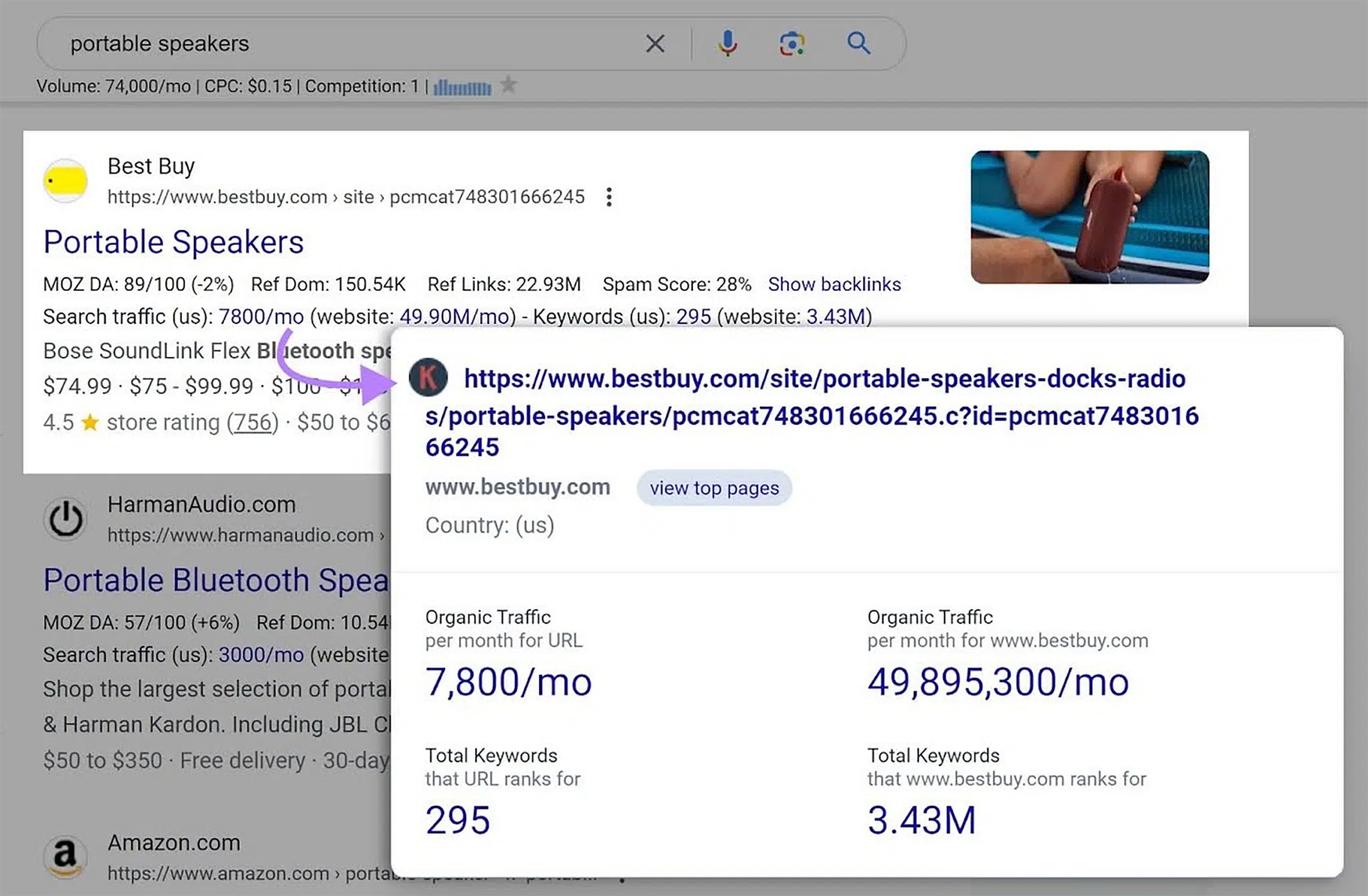
The tool also provides website traffic metrics for each search result. Including its estimated traffic and the number of keywords it ranks for.
What We Like
Keywords Everywhere shows real-time keyword data directly in your browser, so you can quickly check keyword insights while you browse.
It’s a handy tool for doing instant keyword research without switching between different platforms.
Pricing
Keywords Everywhere pricing starts at $5 per month (billed annually).
Conclusion
Choosing the right PPC keyword tool can make a huge difference in how effectively your ads perform. Whether you’re using Semrush, Google Keyword Planner, SpyFu, Microsoft Advertising Keyword Planner, or Keywords Everywhere, each platform offers powerful insights to help you reach the right audience, optimize your ad spend, and boost your ROI.
But using the tools is just the beginning — success comes from crafting the right strategy. That’s where A99 Solutions can help.
At A99 Solutions, we specialize in creating data-driven PPC campaigns that maximize every click and deliver measurable results. Our experts combine smart keyword research, ad optimization, and performance tracking to help your business grow faster.